
MicrojobsBD
Just Now
31MB
15.0
Android & iOS
29k
Description
Looking for an online platform where you can explore small digital jobs using your smartphone or computer? MicrojobsBD is a microtask platform designed to connect people who want to complete online tasks with employers who need digital work done.
The app listing describes opportunities such as data entry, surveys, app testing, website reviews, and social media-related tasks. However, the availability of individual jobs can change, and earnings depend on the tasks offered, their requirements, and whether submitted work is approved.
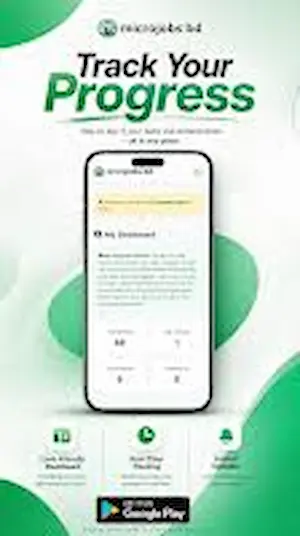
In this guide, you will learn how to download App, create an account, explore available jobs, understand payment options, and take precautions before investing your time in online earning activities. Yo can visit C880 APK.
What Is MicrojobsBD?
Microjobs APP is an online microjob marketplace that connects workers with small digital assignments. Instead of working on a large freelance project, users can look for individual tasks with specific instructions and completion requirements.
The platform is intended for people who want to explore flexible online work, including beginners who are developing their digital skills.
According to its Google Play listing, It supports activities such as data entry, surveys, app testing, and website reviews. The actual tasks available to an individual user may vary.
You can visit the Microjob official website or find the app on Google Play.
App Information
Here is a quick overview of the platform based on its publicly available listings.
| Feature | Details |
|---|---|
| App name | Microjobs – Earn Money Online |
| Category | Microjobs and online freelance tasks |
| Platform | Android app and website |
| Target users | Freelancers, beginners, and employers |
| Example tasks | Data entry, surveys, app testing, website reviews |
| Account access | Registration and login |
| Payment options | Check currently available options in your account |
| Official app source | Google Play Store |
| Website | microjobsbd.com |
Payment methods, withdrawal conditions, and task availability should be verified directly before you start working.
How to Download the App?
If you want to install MicrojobsBD on an Android device, using the official Google Play listing is the recommended starting point.
Follow these steps:
- Open the Google Play Store on your Android phone.
- Search for Microjobsbd – Earn Money Online.
- Check the app name and developer information.
- Open the listing and review the available details.
- Tap Install if the app is available for your device and region.
- Open the app after installation and follow the on-screen instructions.
Official download: Download MicrojobsBD from Google Play
Avoid downloading APK files from unknown websites. Unofficial files may be modified or contain unwanted software, and they may not provide the same security as the official app.
How to Register on Microjobs?
Before you can explore the available tasks, you may need to create an account.
The general registration process is as follows:
- Open the official MicrojobsBD app or website.
- Select the registration or sign-up option.
- Enter the information requested by the platform.
- Create secure login credentials.
- Complete any required verification steps.
- Sign in and explore the available sections of your account.
The exact registration fields may change. Always follow the instructions shown in the official app.
Use accurate information and read the account rules before accepting your first task. Never share your password, one-time verification codes, or mobile wallet PIN with another person.
How to Log In to MicrojobsBD?
If you already have a MicrojobsB account, you can use the login option to access your dashboard.
- Open the official app.
- Select Login or Sign In.
- Enter your registered credentials.
- Complete any requested verification.
- Open your account dashboard.
If you cannot access your account, check your login details and use the official account recovery process if one is available. Do not create multiple accounts to bypass platform restrictions.
What Types of Jobs Are Available on MicrojobsBD?
Microjobs public app description identifies several types of small online assignments. The following sections explain what these tasks generally involve.
1. Data Entry Jobs
Data entry tasks involve entering, organizing, or checking information. Depending on the assignment, workers may need basic typing skills, attention to detail, and the ability to follow formatting instructions.
Before starting, check the required format, deadline, and acceptance criteria.
2. Online Surveys
Survey tasks involve answering questions or providing feedback according to the survey requirements. Some surveys may have eligibility conditions, so read the instructions carefully before spending time on them.
3. App Testing
App testing tasks may require users to explore an application, check specific features, or report their experience. Follow the employer’s instructions and provide genuine feedback rather than submitting fabricated results.
4. Website Reviews
Some assignments involve reviewing a website or checking particular features. Complete the requested work honestly and avoid tasks that require fake testimonials, misleading claims, or deceptive reviews.
5. Social Media-Related Tasks
Certain microjob listings may involve social media activities. Review each task to ensure it complies with the relevant platform’s rules. Avoid assignments that require spam, fake engagement, or unauthorized access to accounts.
Important: These are task categories described in the platform’s public app information, not a guarantee that every category will be available every day.

How to Earn Money on MicrojobsBD?
Microjob platforms generally pay according to the requirements and rewards attached to individual assignments. Your actual results depend on the tasks available, your ability to complete them correctly, and the approval process.
Use the following approach when exploring Microjobs:
- Sign in to your account.
- Open the available jobs or task section.
- Read the full instructions before accepting a task.
- Check the displayed reward and any eligibility requirements.
- Complete the assignment according to the instructions.
- Submit the requested proof of completion.
- Check whether the task has been approved.
- Review your account balance and payment conditions.
Do not assume that submitting a task automatically means payment has been approved. Read the platform’s rules to understand how rejected work, pending rewards, and disputes are handled.
How Much Can You Earn on This APK?
There is no reliable universal earning amount that can be promised to every MicrojobsBD user.
Potential earnings depend on several factors:
- The number of suitable tasks available.
- The reward offered for each assignment.
- The time required to complete the work.
- Whether the submitted work meets the stated requirements.
- Any platform fees or withdrawal charges.
- The availability and eligibility requirements of payment methods.
For a realistic estimate, review actual task rewards inside your account and track your time and approved payments. Do not rely on exaggerated claims promising guaranteed daily income or effortless earnings.
Microjobs are better approached as an opportunity to explore small online assignments rather than a guaranteed replacement for a full-time income.
Microjobs Payment Methods
Before completing tasks, check how the platform currently handles payments in your account.
The official website advertises bKash, Nagad, and Binance as withdrawal options. However, the availability of a particular method, its eligibility conditions, and any fees should be verified in the current withdrawal section.
When reviewing payment options, check:
- Supported payment methods in your region.
- Minimum withdrawal requirements.
- Any transaction or processing fees.
- Account verification requirements.
- Expected processing times.
- Whether your approved balance is eligible for withdrawal.
Do not assume that an advertised payment method guarantees a successful payout. Confirm the terms before spending significant time on the platform.
How to Withdraw Money from Microjobs BD?
If your account has an approved and withdrawable balance, follow the current instructions provided by the platform.
A typical withdrawal process may involve these steps:
- Log in to your Microjobs BD account.
- Open the wallet, balance, or withdrawal section.
- Check your available balance.
- Review the minimum withdrawal amount and any fees.
- Select an available payment method.
- Enter the required payment information carefully.
- Review the details before submitting your request.
- Monitor your account for the transaction status.
The exact process may differ from this general guide. Use only the withdrawal options displayed in the official app or website.
Never pay an unexpected personal fee to an individual who claims they can release your earnings. If a payment is delayed, contact the platform through its official support channel and keep records of your task submissions and withdrawal requests.
Is MicrojobsBD Safe and Legitimate?
Before using any online earning platform, distinguish between an app being available for download and its ability to deliver reliable payments.
Microjobs BD has a public Google Play listing and an associated website. Those facts establish that the service is publicly listed, but they do not independently guarantee that every task will be approved or every withdrawal will be successful.
For a more informed decision, consider these checks:
- Review recent user feedback, especially comments about task approvals and withdrawals.
- Read the platform’s terms and privacy policy.
- Confirm the withdrawal rules before doing substantial work.
- Start cautiously rather than investing large amounts of time immediately.
- Keep records of completed tasks and payment requests.
- Avoid sharing passwords, wallet PINs, or verification codes.
- Do not pay a registration or activation fee unless you have independently verified the reason and legitimacy.
User reviews can offer useful warning signs, but individual reports are not conclusive proof of every user’s experience. Evaluate the available evidence carefully.
Advantages and Disadvantages
Potential Advantages
- Offers a way to explore small online tasks.
- Lists several types of digital assignments.
- Can introduce beginners to task-based work.
- Provides an app listing for Android users.
- Allows users to investigate opportunities before committing to larger freelance projects.
Things to Consider
- Available tasks may change over time.
- Some assignments may have specific eligibility requirements.
- Submitted work may require approval.
- Actual earnings are not guaranteed.
- Withdrawal terms and payment availability need to be checked.
- Users should evaluate recent feedback and platform policies before relying on the service.
Tips for Beginners Using The App
If you are new to microjobs, a careful approach can help you avoid common mistakes.
Read instructions first: Understand the required work, submission format, and acceptance criteria before starting.
Track your time: Record how long tasks take and compare that with the rewards actually approved.
Keep evidence: Save task instructions, submission confirmations, and payment records where permitted.
Protect your accounts: Use a strong password and never disclose financial security codes.
Check payment terms: Verify minimum withdrawals, fees, and eligibility requirements before committing significant time.
Avoid misleading tasks: Do not participate in scams, fake reviews, spam, or activities that violate other services’ rules.
Develop useful skills: Typing, research, communication, and basic spreadsheet skills can also help you explore other legitimate online work opportunities.
Microjobs BD vs. Traditional Freelancing
Microjobs and traditional freelancing serve different purposes.
Microjobs usually involve small, clearly defined assignments. Traditional freelancing may involve larger projects such as website development, graphic design, writing, or ongoing virtual assistance.
For beginners, microtasks may provide an introduction to online work. However, building a marketable skill can open additional opportunities beyond short assignments.
Choose the type of work that matches your goals, available time, and existing abilities.
Frequently Asked Questions
What is MicrojobsBD?
MicrojobsBD is an online microjob marketplace that connects users with small digital assignments. Its public app listing describes tasks such as data entry, surveys, app testing, and website reviews.
Where can I download MicrojobsBD?
You can find the Android app through its official Google Play listing. Check the listing before installing.
Can beginners use MicrojobsBD?
Beginners can explore suitable tasks, provided they meet the relevant account and task requirements. Read the instructions carefully before accepting an assignment.
Does MicrojobsBD guarantee earnings?
No specific income should be assumed or guaranteed. Your results depend on task availability, completion quality, approval, and applicable payment conditions.
Which payment methods does MicrojobsBD support?
The official website advertises bKash, Nagad, and Binance. Check your account for currently available methods, eligibility rules, and withdrawal conditions.
Final Verdict
MicrojobsBD is an option worth investigating if you want to explore small online tasks and task-based freelance work. Its public app information describes several types of digital assignments, while its website advertises multiple withdrawal methods.
However, downloading an app does not guarantee income or successful payments. Before investing your time, review the available jobs, understand the approval process, verify the current withdrawal requirements, and assess recent user feedback.
For beginners, the best approach is to start cautiously, protect personal and financial information, and measure success by actual approved earnings rather than promotional claims.
If you want to explore the platform, begin with the MicrojobsBD app on Google Play and verify the current terms before accepting tasks.
Download links
How to install MicrojobsBD APK?
1. Tap the downloaded MicrojobsBD APK file.
2. Touch install.
3. Follow the steps on the screen.







Pingback: Rocket APK Download New Android Application For Bangla 2026